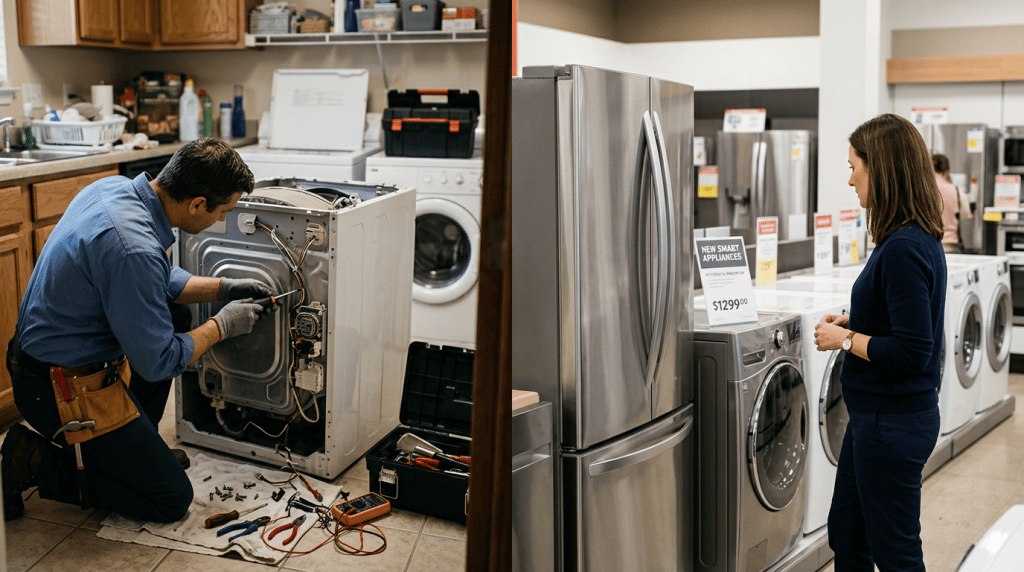
A reset costs nothing and takes minutes. It works more often than most people expect. That said, clearing an error code from the display does not clear the underlying fault. If the same code returns after reset, a component is genuinely failing — and that requires professional repair, not another power cycle.
How to Reset Samsung Appliances
Samsung Washer or Dryer
Samsung front-loaders and dryers respond well to a control-panel reset. Power off the unit and hold the Start/Pause button for 3 to 5 seconds — this clears most panel errors. If the code persists, unplug the machine for 60 seconds, restore power, and test again.
For a washer stuck mid-cycle, press Cancel to drain the tub first. Once drained, power off and restart.
Samsung Refrigerator
Samsung fridges commonly display a “PF” code (power failure) after an outage. Press the power button, wait 10 seconds, then press it again — the code should clear. For ice maker issues, unplug for 60 seconds and restore power. Many models, including the RF28R7551SR and RF23M8570SG, also carry a dedicated Reset button inside the ice maker compartment. Check your model’s manual if the panel sequence does not work.
How to Reset LG Appliances
LG Washer or Dryer
LG washers and dryers reset by unplugging for 5 to 10 minutes. This allows the control board to fully discharge before rebooting. Plug back in — the error should clear. Some LG models also respond to holding the Start button for 5 seconds while the unit is powered on but idle.
For a stuck wash cycle, press the Spin or Drain button to initiate drainage. Then power off, unplug, and wait before restarting.
LG Refrigerator
LG fridges displaying “IF” (ice maker fault) or “CF” (condenser fan fault) reset by unplugging for 10 minutes. After restoring power, the fridge recalibrates automatically. For ongoing ice maker problems, also check that the water inlet line is neither frozen nor kinked behind the unit.
How to Reset Whirlpool, Maytag, and KitchenAid Appliances
Whirlpool or Maytag Washer
Whirlpool and Maytag top-loaders reset with a basic power cycle — unplug for 1 minute, then plug back in. For Cabrio-series models with dial controls, rotate the dial counterclockwise until it clicks, wait 10 seconds, then rotate clockwise three positions. This triggers a factory reset on those models.
If the washer is locked mid-cycle, hold Start to initiate the drain sequence before powering off.
Whirlpool or Maytag Dryer
Unplug for 1 minute, then restore power. If the dryer still won’t heat after reset, the thermal fuse has likely blown. A thermal fuse is a one-time safety device — it cannot be reset and must be replaced by a technician.
KitchenAid Appliances
KitchenAid dishwashers and refrigerators reset by unplugging for 1 minute. Models with display panels — such as the KRMF706ESS — may require a button combination to clear codes. Check the inside of the fridge door for a printed reset instruction label before consulting the full manual.
How to Reset GE and GE Profile Appliances
GE Washer or Dryer
GE washers reset by unplugging for 30 seconds. Some models carry a physical Reset button on the control panel — press it once and wait for the indicator lights to stop flashing. If your GE washer displays “LOC” (control lock active), unplug and wait a full minute before attempting restart.
GE dryers follow the same 30-second reset procedure. A dryer that runs but produces no heat after reset almost always has a failed thermal fuse — not a software error.
GE Refrigerator
Unplug a GE fridge for 30 seconds to clear most error codes. On select GE Profile models, a hidden Reset button sits behind the interior control panel — consult your manual if codes persist after the power cycle. Power-failure codes clear on their own once normal operation resumes.
How to Reset Bosch Appliances
Bosch Dishwasher
Bosch dishwashers use a simple built-in reset: hold the Start button for 3 seconds while the machine is idle. The display should clear. If an error code — such as E15 (water in base) or E09 (heating element fault) — remains after this, unplug for 30 seconds and repeat the sequence.
How to Reset Miele Appliances
Miele appliances are model-dependent. Most Miele washers, dryers, and dishwashers reset by unplugging for 10 minutes. Premium models — including the W1 washer series and G 7000 dishwashers — carry a dedicated reset sequence inside the settings menu. Refer to your Miele manual or the label on the appliance door. Because Miele builds machines with robust diagnostic systems, a recurring error on a Miele typically signals a genuine fault rather than a transient glitch.
How to Reset Frigidaire and Electrolux Appliances
Both brands reset by unplugging for 30 seconds. Frigidaire refrigerators with ice makers — such as the FGHB2868TF — may need 5 full minutes of power-off time to reset the ice maker control board fully. After restoring power, allow 24 hours before expecting normal ice production to resume.
How to Reset Your Appliance by Type
Refrigerator Reset
Power-failure codes appear after outages or surges. Unplug your fridge for 30 to 60 seconds — most control boards reset automatically on restart. Common codes like Samsung’s “PF”, GE’s “PF”, and LG’s “IF” are all normal responses to power loss and typically clear on their own.
Do not leave a fridge unplugged for more than a few minutes during warm weather — food spoilage risk rises quickly. If an error persists 24 hours after power returns, the compressor, thermistor, or main control board may be failing and needs professional diagnosis.
Washer Reset
If your washer is stuck mid-cycle after a power outage, press Cancel or Stop to trigger the drain sequence first. Once the tub is empty, power off and unplug for 1 minute. This resets most control boards across all major brands.
A factory reset is rarely needed for everyday faults — follow the brand-specific steps above if a standard power cycle does not resolve the issue. If the washer won’t drain even after reset, debris may be lodged in the drain pump filter. At that point, call for professional washer repair.
Dryer Reset
Most dryer errors — including stuck door-lock codes and minor control faults — respond to a 30-second to 1-minute power cycle. Unplug, wait, restore power, and test.
A blown thermal fuse is a different matter entirely. It cannot be reset. If your dryer runs but produces no heat, the thermal fuse has failed and must be replaced. This is a safety component — bypassing it creates a fire hazard. A technician replaces it with the correctly rated part for your model.
Dishwasher Reset
A dishwasher that won’t drain or is frozen mid-cycle often responds to holding Start for 3 seconds (Bosch) or unplugging for 1 minute (most other brands). Many dishwashers resume their interrupted cycle cleanly after reset.
If standing water remains in the tub after reset, check the drain hose for kinks or blockages at the sink connection before assuming a control board fault.
Oven Reset
Electric ovens reset by unplugging for 30 seconds. A door locked after a self-cleaning cycle is normal — the lock releases automatically once the cavity cools below a safe threshold. Do not force the door open.
Never attempt to reset a gas oven if you smell gas. Turn off the gas supply at the source and call your utility provider or fire department immediately. This is a safety emergency — not an appliance fault.
When a Reset Won’t Help
Not every appliance problem is software-based. Stop troubleshooting and call a technician if you notice any of the following:
- A gas smell from any appliance — do not attempt a reset under any circumstances.
- Water pooling or active leaking beneath a washer, dishwasher, or refrigerator.
- Burning smell or visible sparks from the control panel or the wall outlet.
- A dryer that runs but produces no heat — the thermal fuse has failed and is not resettable.
- An error code that returns within days of a successful reset — the component is degrading.
In each of these situations, a reset wastes time. The appliance needs professional diagnosis and component replacement.
Frequently Asked Questions
Will resetting my appliance actually fix it?
A reset clears error codes caused by power surges, outages, and minor software glitches. It will not repair a failed sensor, a damaged control board, or a worn mechanical part. Think of it the way you would rebooting a computer — software problems may resolve, but hardware failures do not. If the same code returns after reset, the fault is real and the appliance needs a technician.
How do I factory reset my Samsung refrigerator?
Unplug your Samsung fridge for 60 seconds, then restore power. For persistent error codes, open the ice maker compartment and look for a dedicated Reset button — press and hold it for 3 seconds. If codes continue after both steps, the main control board or a temperature sensor is likely failing. A technician can diagnose which component is at fault.
Why does my appliance error code keep coming back after I reset it?
A recurring error code means the component generating that fault is degrading or has already failed. The sensor, motor winding, inlet valve, or control board responsible for the code is not recovering between resets. A second or third reset will not change the outcome. You need professional diagnosis to identify the specific part and determine whether repair or replacement is the better option.
Is it safe to reset a gas appliance the same way as an electric one?
For gas ranges and dryers, a power cycle — unplugging or switching off the breaker — is generally safe if there is no smell of gas present. If you detect any gas odour at all, do not touch the appliance. Leave the area, turn off the gas supply at the shut-off valve, and call your utility provider immediately. SureFit is TSSA certified for gas and propane appliance repairs, but a gas leak is a utility emergency first.
How much does a professional appliance diagnosis cost with SureFit?
The diagnostic service call is $85 + HST per appliance — that fee is waived entirely if you proceed with the repair. There are no hidden charges. SureFit provides a written quote before any work begins, and every completed repair includes a 90-day warranty on parts and labour.
Still Seeing That Error Code? SureFit Can Help.
SureFit Appliance Services repairs all major brands — Samsung, LG, Whirlpool, Maytag, KitchenAid, GE, Frigidaire, Bosch, Miele, Sub-Zero, Wolf, and more — across York Region, the GTA, Simcoe County, Grey County, and Durham Region. Same-day appointments may be available. SureFit confirms timing after reviewing your request.
Our refrigerator repair, washer repair, and dryer repair services cover every brand and model in this guide. The diagnostic fee is $85 + HST per appliance — waived if the repair proceeds. Every job comes with a written quote upfront and a 90-day parts and labour warranty on completed work. No surprises.
Call (647) 977-2626 or schedule your repair appointment online — and get your appliance working again today!